DUNGEON / ROGUELIKE
The Binding of Isaac: Repentance+
Dodge strange creatures, collect powerful items, and turn a fragile first run into a screen-filling build. The Browsing of Isaac brings Repentance+ to a browser tab.
Plays on tboi.online
Opens the fan project in a new tab. Allow time for the first game-data download.
- Game type
- Action roguelike
- Browser
- Chrome or Edge
- Mobile
- Android Chromium
- Progress
- Saved in this browser
INTO THE BASEMENT
What is The Browsing of Isaac?
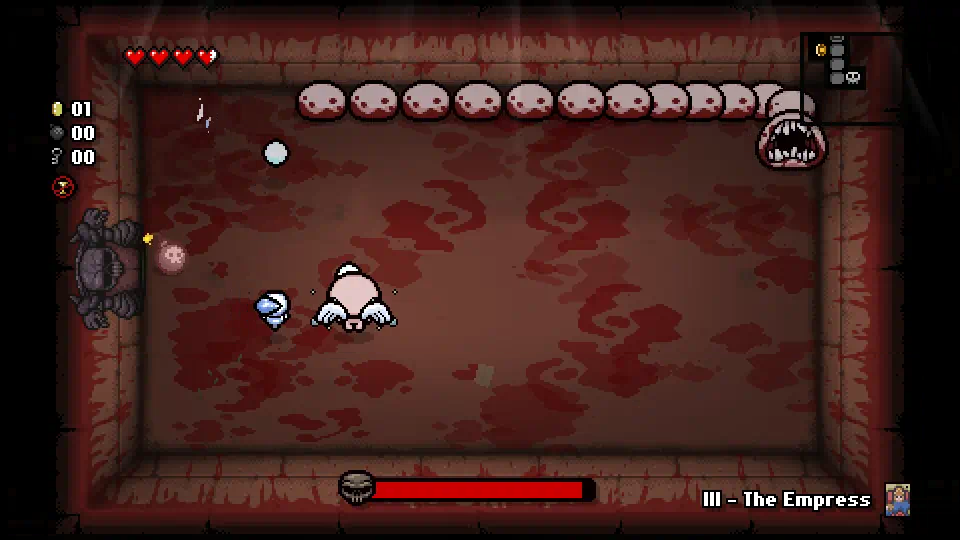
The Binding of Isaac: Repentance+ is an action roguelike about surviving a changing dungeon. Move and fire independently, clear hostile rooms, and collect items that transform your attacks. A promising combination can completely change how the next floor feels.
The Browsing of Isaac is chiikabu’s browser port. The original game is by Edmund McMillen and Nicalis. This is an unofficial fan project, without their affiliation or endorsement.
YOUR FIRST RUN
How to play Isaac online
- Let the game finish loading. Open the playable host in a supported browser. The initial download is substantial; its duration depends on your connection and device. Keep the tab open while it prepares the game.
- Learn movement before chasing damage. Start a run and practise moving sideways while firing toward enemies. Keep some distance so you have time to see incoming shots.
- Clear rooms, then collect. Look for a safe route through projectiles before heading for a pickup. Spending a heart to grab a small reward can make the next fight harder.
- Build around your items. New treasures can change your shot pattern, damage or utility. Try a few shots after collecting one so its behavior is familiar before the next crowded room.
Beginner tip: Watch the gaps between projectiles. Small, deliberate movements often leave more escape routes than running continuously around the room.
KEEP YOUR PROGRESS
Browser saves and mods
Progress stays on the browser and device you use. On file selection, choose EDIT FILE to export a backup or import a save, including a PC .dat file. Back up before clearing site data or moving devices; browser storage is separate from Steam Cloud.
For mods, open MODS → MOD BROWSER. Search and install there, or add a mod ZIP. The project supports Workshop and Lua mods; installing one restarts the game. Try an unmodified run first so you know the base game loads correctly.
Before you play
Which browsers work?
Use Chrome, Edge or another Chromium browser on desktop or Android. Other browser families and iPhone/iPad browsers are outside the project’s stated support. If startup fails, try a supported browser and leave room for the initial download.
How do I play on an Android phone?
Use your left thumb to move and your right thumb to shoot. Tap the item bar for a bomb, active item, card or pill. The minimap opens the map; the nearby paper icon pauses. In menus, tap a row, then tap again to choose it.
Can I use a gamepad?
Yes. Connect a USB or Bluetooth controller, press a button to make it visible to the browser, and use that controller to start the run.
Do I need to upload my game files?
The public play link opens the hosted launcher. The repository’s requirement for your own game files applies to building a copy yourself. An optional save import transfers progress; it is separate from supplying installation files.