
CLASSIC / SPY SHOOTER
No One Lives Forever
Step into Cate Archer’s shoes for a globe-trotting spy adventure. Sneak past H.A.R.M., improvise with unlikely gadgets, and shoot your way out when the cover story falls apart.
Plays on playnolf.com
Opens Play NOLF in a new tab. Game data loads in your browser.
- Original release
- 2000
- Campaign
- 15 missions + GOTY
- Controls
- Mouse, touch or pad
- Progress
- Local & cloud saves
THE GAME
A 1960s spy adventure in your browser
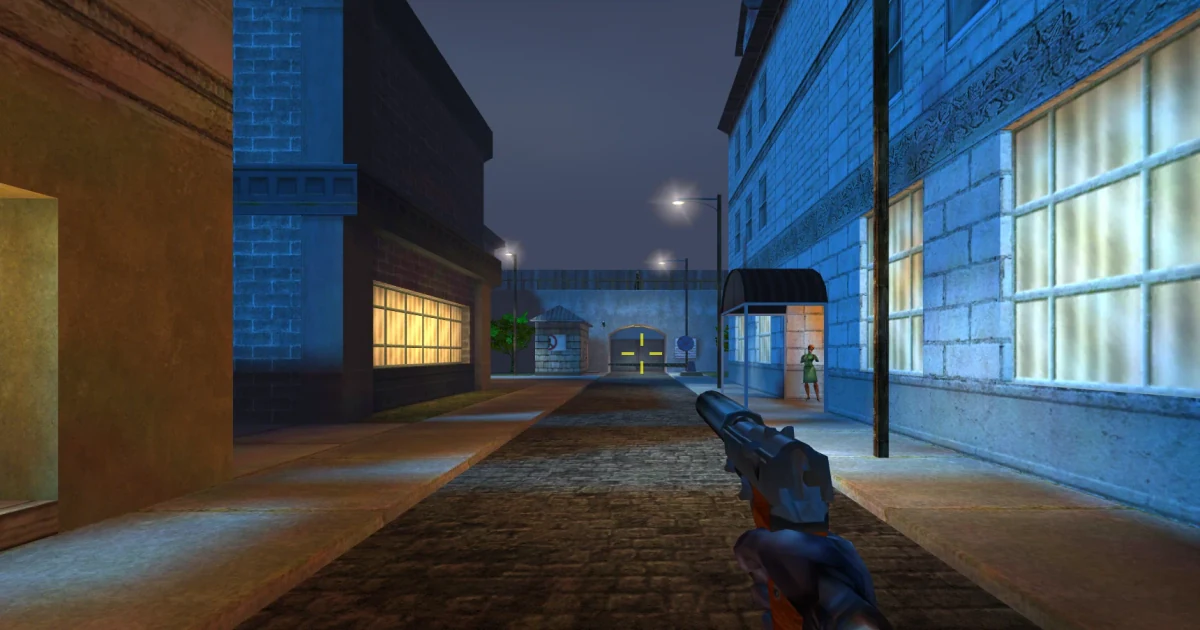
The Operative: No One Lives Forever, often shortened to NOLF, is Monolith Productions’ first-person shooter, originally published by Fox Interactive in 2000. You play Cate Archer, a former thief recruited by UNITY, as she investigates attacks on the agency and follows the criminal organisation H.A.R.M. across the world.
Gunfights share the spotlight with infiltration, conversations and gadgets disguised as everyday accessories. Listen before entering a room, watch patrols, and check objectives. The spy-film humour and changing locations are part of the appeal.
Brightwork Digital’s Play NOLF browser edition opened on October 8, 2026. It includes the 15-mission campaign and the Game of the Year bonus, Rest and Relaxation. This is an unofficial fan project, unaffiliated with the original developer or rights holders.
YOUR FIRST ASSIGNMENT
How to play No One Lives Forever online
- Launch the game. Select Play now and allow the browser to download the engine and level data.
- Start with training. The host’s mission selector links to The Assignment training stages. Learn movement, interaction and gadgets before beginning Misfortune in Morocco.
- Read the briefing. Press O for objectives. Search the level, use the equipment suited to the task, and take cover when enemies return fire.
- Save before a risky move. Quick-save before an unfamiliar room or difficult encounter. If the route is unclear, the port’s hint shortcut is Ctrl + Shift + H.
A useful habit: Try interacting with doors and objects before spending ammunition. Cate’s tools often provide a quieter way forward.
PICK UP THE TRAIL
Saving, mobile play and PS2 chapters
Saved games stay in the browser you use. An optional free account on Play NOLF syncs them between computers; the homepage’s Continue option resumes your progress. Keep the same browser profile for local saves, and remember that clearing site storage can remove them.
Keyboard and mouse offer the most familiar FPS setup. Touch controls provide a left-side movement stick, right-side looking and action buttons; hold a phone or tablet sideways. Xbox and PlayStation controllers are supported: connect one, then press a button. The port’s mobile support is new, and its developer notes that older phones can run short of memory. Device performance varies.
The October 12 update added the PS2 Nine Years Ago flashback chapter and extra training areas beneath the Dumas mansion. These additions may still have rough edges. The original campaign is a better starting point for a first visit.
Before you play
Is No One Lives Forever free to play online?
The linked Play NOLF host offers its browser version free. You can begin without registering; an account is optional for cloud saves.
Do I need to install the original PC game?
The public browser version loads its game data from the host. It does not ask you to install a Windows copy before playing.
Can I play multiplayer?
This version currently focuses on the single-player campaign. The developer says online multiplayer has not been implemented.
What if the game loads slowly or has a problem?
Give the initial download time to finish. On a device struggling with memory, close other tabs and try a desktop browser. The host’s bug-report shortcut, Ctrl + Shift + B, can attach the current game view to a report.